PAMM Account Registration
Follow these steps to register as a PAMM investor at InstaForex and begin investing in professionally managed Forex accounts.
Visit the InstaForex PAMM System Page
Browse the PAMM system page to see available managing traders, review the ratings, and understand offer agreement terms.
View InstaForex PAMM System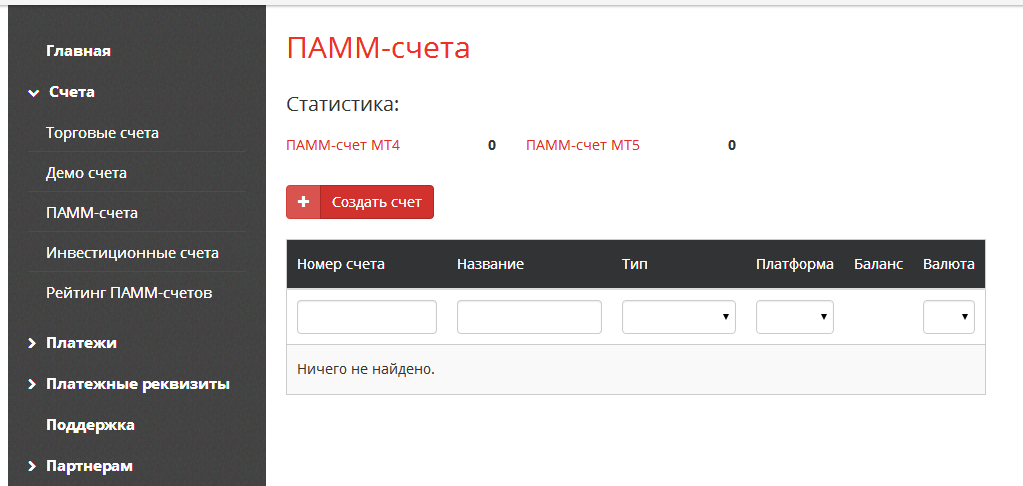
Register an InstaForex Account
If you do not already have an InstaForex account, complete registration online. Provide your personal details and verify your identity. The process is quick and fully online.
Browse the PAMM Rating and Choose a Trader
Use the InstaForex PAMM rating to evaluate managing traders. Review profit history, drawdown, trading duration, and offer terms before investing.
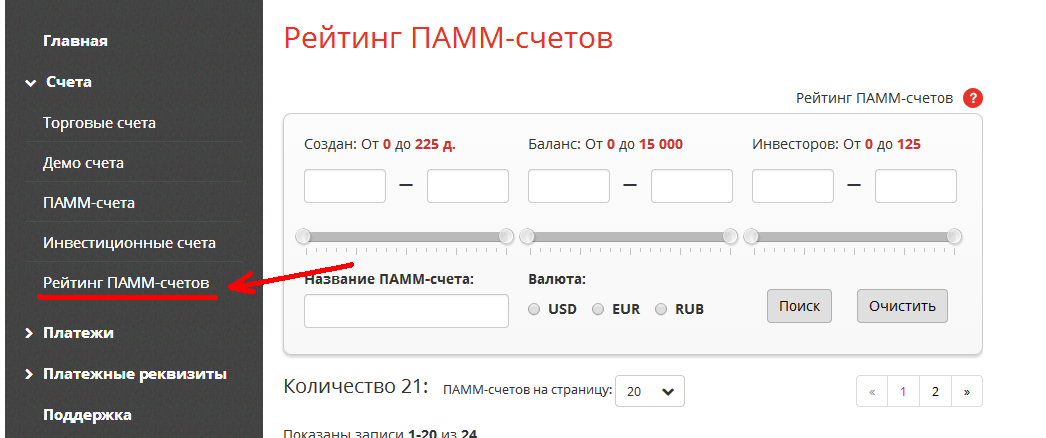
Invest in a PAMM Account
Accept the offer agreement and transfer funds to the PAMM account. Your investment combines with other investors' capital, and the trader manages it collectively. Profits and losses are distributed proportionally.
Monitor Your Investment
Track PAMM performance through the InstaForex client portal. You can invest in multiple PAMM accounts simultaneously to diversify risk. Withdrawals are per each offer agreement's terms.